
The JEA/NSPA National High School Journalism Convention is the nation's largest gathering of middle and high school journalists and their advisers.
Members and other individuals interested in supporting the goals and programs of JEA, NSPA and scholastic journalism are invited to submit speaker proposals for educational breakout sessions on any topic related to scholastic journalism and student media. This invitation is extended to teachers, advisers, media professionals and students in editorial leadership positions.
The submission deadline is Jan. 30.
Each standard breakout session is 45 minutes long and will take place on the Friday or Saturday of convention week between 8 a.m. and 2:45 p.m.
Each speaker can submit up to six session proposals. There is a good chance all or most will be accepted and scheduled, so please only submit multiple proposals if you are willing and able to present them all.
Speakers should ideally have approval from administrators to attend the convention before submitting a proposal. However, please submit by the deadline, even if you are still unsure about your attendance status. You can withdraw your session later if you find out you aren't able to attend.
Visit this webpage for a session topic guide, convention style guide and more information on our programming policies.
Questions? Visit the speaker FAQ page.
IMPORTANT DATES
| Thursday, Nov. 20 | Call for submissions opens |
| Friday, Jan. 30 | Session proposal deadline |
| Week of Feb. 23 | Acceptance notifications sent via email |
| Mid-March | Final scheduling details sent out via email |
| Friday, March 20 | Confirmation of speaker participation due |
| April 16-18 | NHSJC in Minneapolis |
SUBMISSION INSTRUCTIONS
Step 1: Create/update your speaker account
1. Go to springnhsjc.dryfta.com and click "Create Speaker Account" OR go directly to springnhsjc.dryfta.com/speaker-account.
2. Fill out the form with your details and select "Create Account". You will then use this account to submit, view and edit your session proposal(s).
Already created a speaker OR attendee Dryfta account for the Nashville convention? Good news, you can log in using those SAME Dryfta credentials instead of creating a new account. Once logged in, please UPDATE your profile to ensure all your speaker information is up-to-date, especially your scheduling availability.
NOTE ON REGISTRATION: Creating a speaker account does NOT mean you are registered for the convention. You will still need to register through the registration portal. You can still submit session proposals in the meantime.
Step 2: Submit a session proposal application
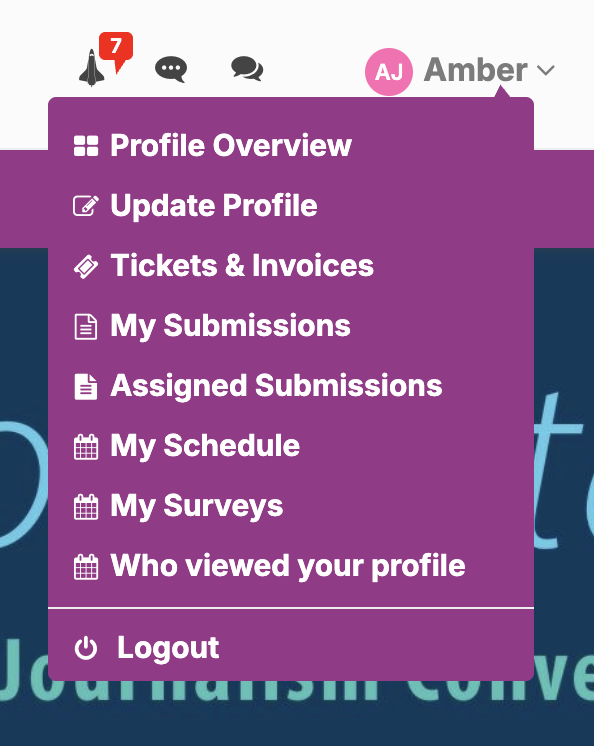
1. While logged into your account, go to the dropdown menu in the top, right-hand corner and click "My Submissions".
2. Click the green "New Submission" button, which will take you to the session proposal application.
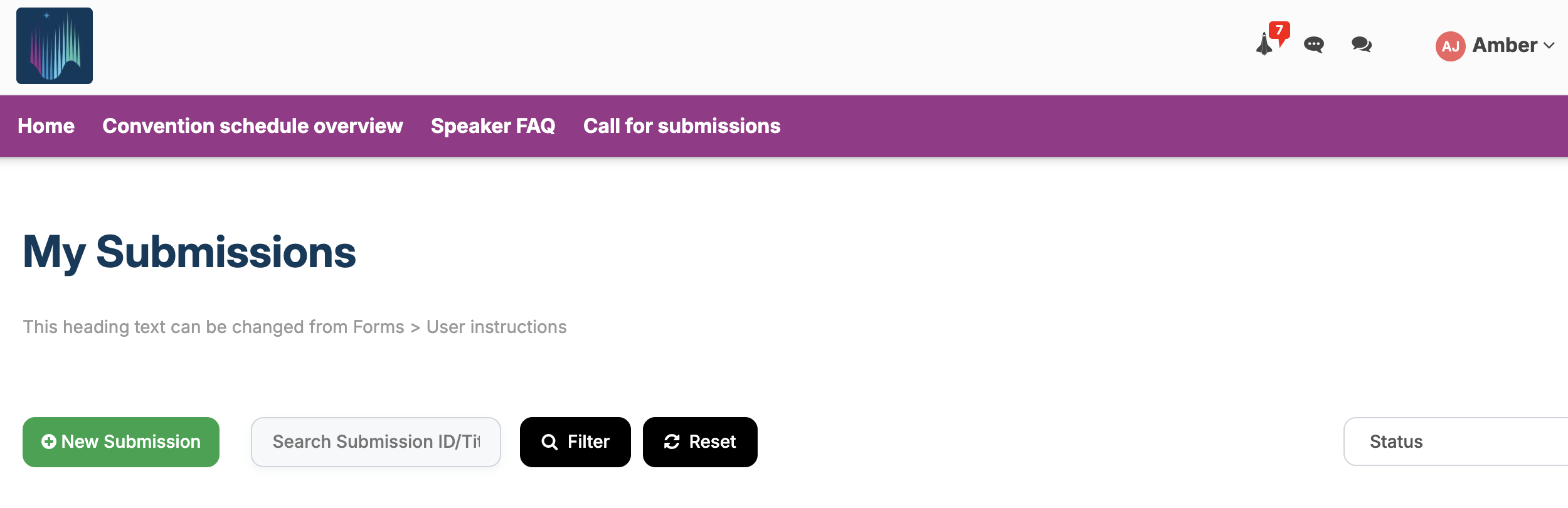
3. Once the application is submitted, you can view the status or edit the session details via the "My Submissions" page.
The system will notify you when your session is accepted and scheduled. Initial acceptances will be sent out by late February, before the early bird deadline.
Want to submit a session with co-presenters or panelists?
Good news! The new system provides a streamlined, organized way to propose a session with others. Here's how it works:
1. Before you submit a session, please have ALL presenters create their own speaker account, paying special attention to the "scheduling availability" section.
2. Please designate one person in your speaking group to submit the session application using the instructions above.
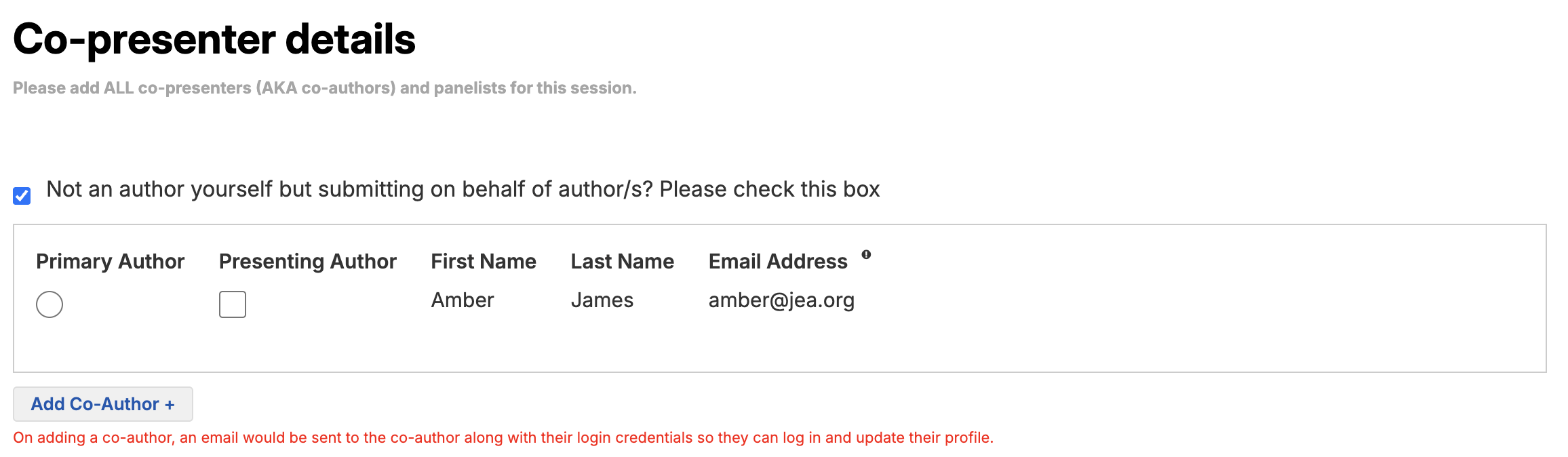
3. At the end of the form, under "Co-presenter details" please click the "Add Co-Author" button. Search for your co-presenter(s) by name or email to auto-populate the fields with the info they provided.
4. If a co-presenter hasn't yet created their speaker account, you can instead manually input their information here. The system will send them an email once you've submitted the application, which will invite them to finish setting up their account.
NOTE: It's fine if you need to put in placeholder information for your co-presenter, but PLEASE ensure they go in and update their profile with the correct information as soon as possible. This is especially crucial for the "scheduling availability" section as this helps the planning team schedule your session for a time slot that works for everyone in your speaking group.
Want to submit a session on behalf of another speaker or speaking group, but you yourself won't be presenting?
Our new system has an easy solution! Here are the steps:
1. Collect the required speaker and session information, listed here.
2. Create a speaker account for yourself, NOT for the speaker just yet.
3. Fill out the session proposal application. Toward the end of the form, under "Co-presenter details" check the box labeled "Not an author yourself but submitting on behalf of author/s?"
4. Select "Add Co-Author" and input the speaker's information. This will create an account for them. Be sure to select the "Primary Author" option for them.
And that's it! With this process, you do still have to create a account for yourself, but then you will then be able to log back in to monitor or edit the session on the speaker's behalf, while ensuring your name isn't listed with the presenters in convention materials.
Want to edit your session, view the application status, or withdraw it from consideration?
The system will allow you to edit many elements of your session details after it has been submitted, even after the submission deadline. Simply visit the "My Submissions" page and select "Edit Submission". Don't forget to hit the "Update" button to ensure your changes are saved.
If you want your co-presenters to be able to edit the session too, make sure you select "Yes" under "Allow co-presenter(s) to edit session?" on the application.
You can also view the status of your application on the "My Submissions" page. The status is listed in the upper, right-hand corner of each session box.
If you are no longer able to attend the convention, or you are no longer able to present for any reason, please visit the "My Submissions" page and select the "Withdraw" button under each relevant session. The system will then ask you to provide a short reason for withdrawing.
Have more questions? Visit the Speaker FAQ page.
Visit the official convention website to learn more about NHSJC.